How to View All Pokemon Cards With a Specific Energy Type
Trading Card Dex includes a Pokemon energy type filter that lets you search for cards by type. Whether you are looking for all Fire type, Water type, Grass energy, Psychic, or Lightning cards, the database lets you filter and browse them in just a few clicks.
Step 1
STEP 1: Go to the Database Navigate to pokemon.tradingcarddex.com/database in your browser. This is the main search page where all energy type filters are available.

Step 2
Option A: Click the energy type icons at the top of the page. Each icon represents a different type (Fire, Water, Grass, Psychic, Lightning, and more). This is the fastest way to select an energy type.

Step 3
Option B: Use the filters on the left side of the page. Look for the energy type filter section and select one or more types from the list. This is useful if you want to select multiple energy types at once.
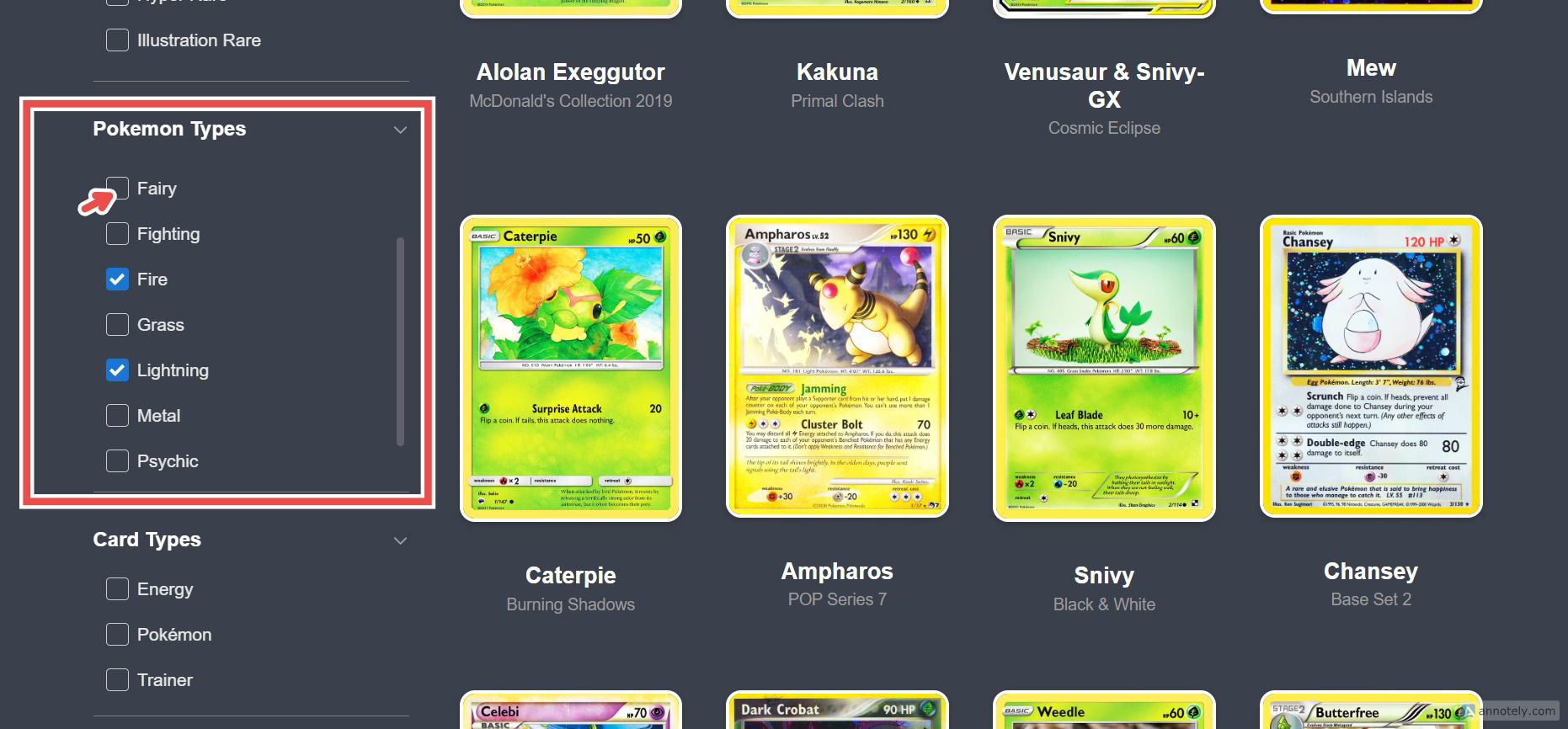
Step 4
STEP 3: Press Search Click the Search button. Every Pokemon card matching the selected energy type will be displayed in the results.
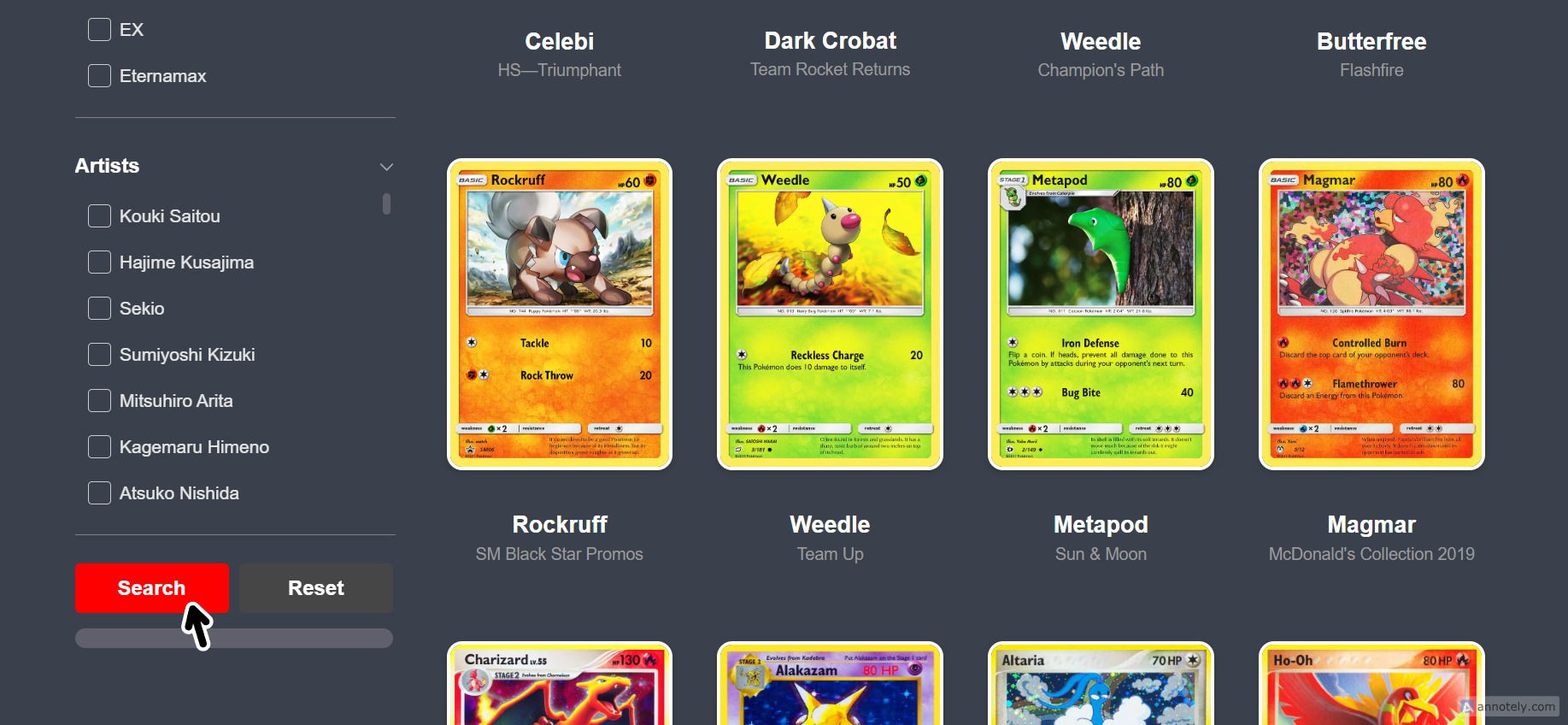
You can select multiple energy types at once using the left-side filters to broaden your search. - Combine the energy type filter with other filters like set, rarity, or evolution stage for more specific results. - This filter is especially useful for deck building when you need to find all available cards for a specific energy type. - All energy types in the Pokemon TCG are supported, including Fire, Water, Grass, Psychic, Lightning, Fighting, Darkness, Metal, Dragon, Fairy, and Colorless.